
The Great GitLab Migration
Three years ago, I found myself staring at a migration to a new GitLab server from a old GitLab server. The old was slow and had been running longer than some of my production services. The kind of server that had seen more commits than a politician’s promise list, and was starting to show its age like a sysadmin who’s been on-call for too long. It was time for a migration.
The Problem: GitLab Server Aging Like Fine Wine (But Not in a Good Way)
My original GitLab instance (repo01.bendiksens.net) had been faithfully serving my repositories for what felt like geological epochs. But like any good sysadmin, I knew the signs: slower response times, occasional hiccups, and that nagging feeling that the server was plotting against me. Plus, I had this shiny new server (repo02.bendiksens.net) just sitting there, begging to be put to work.
The challenge? Migrating dozens of repositories without losing commit history, branches, or my sanity. GitLab’s built-in import/export feature is great for individual projects, but when you’re dealing with a whole ecosystem of interconnected repos, you need something more surgical.

The Solution: Python Scripts and Git Config Hacks
Enter the migration script. A beautiful piece of Python code that’s part automation, part digital archaeology, and entirely necessary when you’re dealing with more repositories than you care to admit.
import os
import requests
import subprocess
import fileinput

url = "https://repo02.bendiksens.net/api/v4/projects/user/2"
token = "TOKEN HERE"
headers = {
  "PRIVATE-TOKEN": token
}

os.chdir('/home/duux/migrategitlab')
all_subdirs = [d for d in os.listdir('.') if os.path.isdir(d)]
for dirs in all_subdirs:

    # create repo on server
    payload = {"name" : dirs}
    response = requests.request("POST", url, headers=headers, data=payload)
    print(payload)

    for line in fileinput.input([f"/home/duux/migrategitlab/{dirs}/.git/config"], inplace=True):
        print(line.replace('https://repo01.bendiksens.net/', '[email protected]:'), end='')

    workdir = f"/home/duux/migrategitlab/{dirs}/"
    p = subprocess.Popen(["git", "push", "-u", "origin"], cwd=workdir)
    p.wait()
This script does three things that would make any DevOps engineer smile:
- Creates new repositories on the target server using GitLab’s API
- Modifies git config files in-place to point to the new server
- Pushes all branches to the new location
The beauty of this approach is that it preserves everything: commit history, branches, tags, and that one commit message from after midnight that you’re still embarrassed about and didn’t knew how to squash.
Downside? You need to have all your repos already on your machine.
The Migration Process: Like Herding Cats, But Digital
The actual migration was surprisingly smooth, which is always suspicious in IT. Here’s what happened:
- Clone all repositories from the old server to a staging area manually
- Run the migration script to create new repos and update remotes
- Push everything to the new server
- Update CI/CD pipelines to point to the new server
- Test everything until your eyes bleed
The git config modification was the real MVP here. By changing the remote URL from https://repo01.bendiksens.net/ to [email protected]:, we essentially told git “hey, your new home is over there” without having to manually reconfigure each repository.
Fast Forward Three Years: Enter Gitea
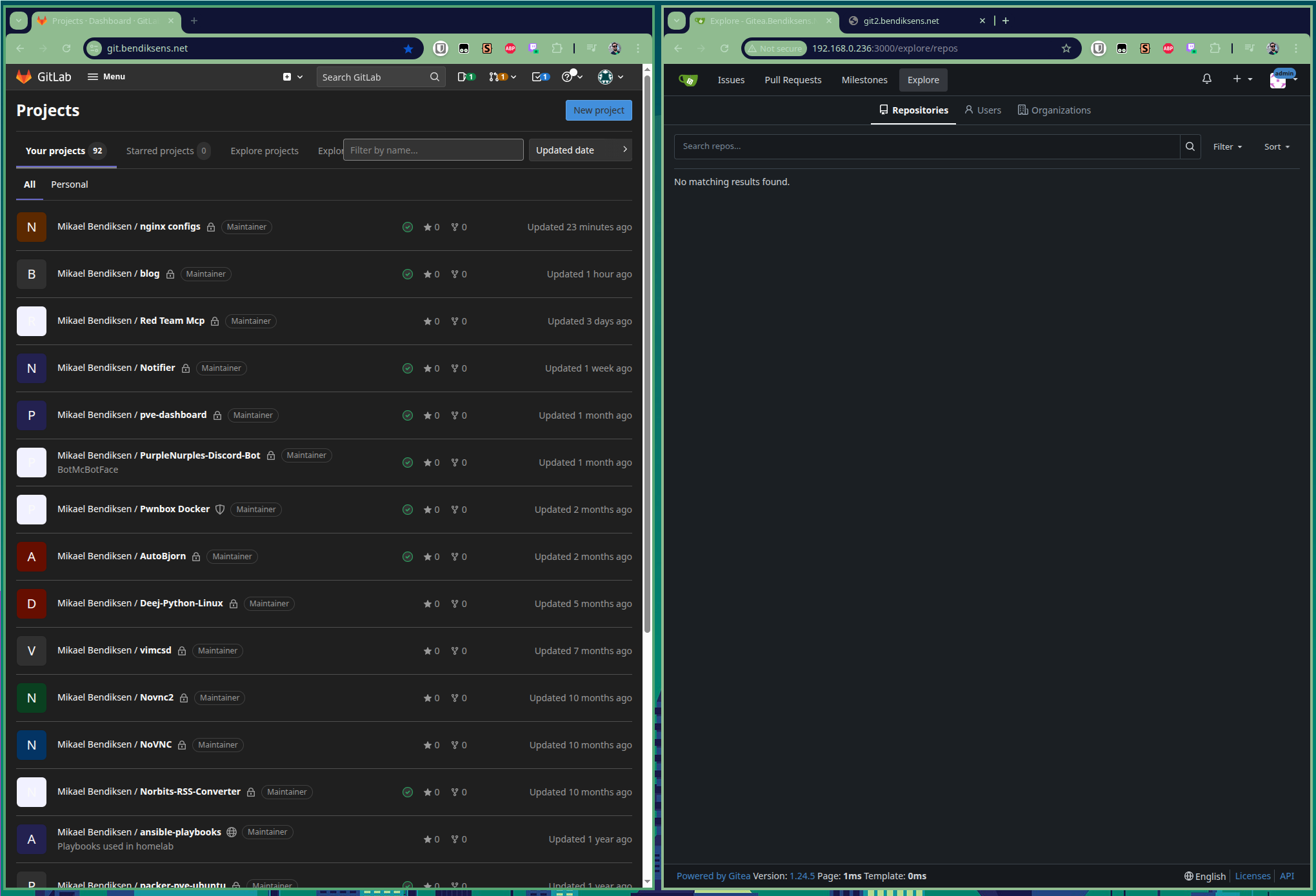
Now, three years later, I’m planning another migration. This time, it’s not just about moving servers - it’s about moving to a completely different platform: Gitea.
Why Gitea? Because it’s faster than a sysadmin running to fix a production outage. Seriously, the performance difference is noticeable. GitLab is like a Swiss Army knife - it does everything, but sometimes you just need a really good knife.
Gitea is lightweight, fast, and doesn’t require a server farm to run. It’s like the difference between running a full Kubernetes cluster and a simple Docker container. Sometimes simpler is better, especially when you’re running everything on your own infrastructure.
The Gitea Migration Script: Evolution of the Migration Tool
Fast forward to today, and I’m preparing for the Gitea migration. The script has evolved, but the core principles remain the same. Here’s the updated version for Gitea:
import os
import requests
import subprocess
import fileinput
import json

# Gitea API configuration
gitea_url = "http://192.168.0.236:3000/api/v1"
gitea_ip = "192.168.0.236"
gitlab_url = "https://git.bendiksens.net/api/v4"
headers_gitea = {
    "Authorization": f"token {token_gitea}",
    "Content-Type": "application/json"
}
# Gitlan API configuration
token_gitlab = "GITLAB_TOKEN"
old_gitlab_user = "unk1nd"
token_gitea = "GITEA_TOKEN"
headers_gitlab = {
    "PRIVATE-TOKEN": token_gitlab
}

# User/Organization where repos will be created
username = "duux"  # or your organization name

def get_old_repos():
    response = requests.get(
        f"{gitlab_url}/projects?per_page=100",
        headers=headers_gitlab
    )
    if response.status_code == 200:
        print(f"Fetched repo list from {gitlab_url}")
        data = response.json()
        print(f"Found {len(data)} repos")
        print(data)
        return data
    else:
        print(f"Failed to pull {gitlab_url}: {response.status_code} - {response.text}")
        return None

def pull_old_repo(repo_url):
    try:
        repo_url = repo_url.replace("git.bendiksens.net", "repo02.bendiksens.net")
        subprocess.run(["git", "clone", repo_url], check=True)
        print(f"Successfully pulled {os.path.basename(repo_url)}")
        return True
    except subprocess.CalledProcessError as e:
        print(f"Failed to pull {os.path.basename(repo_url)}: {e}")
        return False

def create_gitea_repo(repo_name, description=""):
    """Create a new repository in Gitea"""
    payload = {
        "name": repo_name,
        "description": description,
        "private": True,  # Set to False for public repos
        "auto_init": False,  # Don't initialize with README
        "gitignores": "",
        "license": "",
        "readme": ""
    }

    response = requests.post(
        f"{gitea_url}/user/repos",
        headers=headers_gitea,
        json=payload
    )

    if response.status_code == 201:
        print(f"Created repository: {repo_name}")
        return response.json()
    else:
        print(f"Failed to create {repo_name}: {response.status_code} - {response.text}")
        return None

def update_git_remote(repo_path, new_remote_url):
    """Update the git remote URL in the repository"""
    config_file = os.path.join(repo_path, ".git", "config")

    if not os.path.exists(config_file):
        print(f"Git config not found in {repo_path}")
        return False

    try:
        for line in fileinput.input([config_file], inplace=True):
            # Replace the old GitLab URL with new Gitea URL
            new_line = line.replace(
                f'[email protected]:{old_gitlab_user}',
                f'git@{gitea_ip}:{username}'
            )
            print(new_line, end='')
        return True
    except Exception as e:
        print(f"Error updating git config in {repo_path}: {e}")
        return False

def push_to_gitea(repo_path):
    """Push all branches and tags to Gitea"""
    try:
        # Push all branches
        subprocess.run(["git", "push", "--all", "origin"],
                      cwd=repo_path, check=True)

        # Push all tags
        subprocess.run(["git", "push", "--tags", "origin"],
                      cwd=repo_path, check=True)

        print(f"Successfully pushed {os.path.basename(repo_path)}")
        return True
    except subprocess.CalledProcessError as e:
        print(f"Failed to push {os.path.basename(repo_path)}: {e}")
        return False

def main():
    """Main migration function"""
    # Change to the directory containing all repositories
    migration_dir = "/tmp/migrategitea"
    os.chdir(migration_dir)

    # pull down old repo
    old_repo_list = get_old_repos()
    for repo in old_repo_list:
        if old_gitlab_user in repo["path_with_namespace"]:
            pull_old_repo(repo["ssh_url_to_repo"])

    # Get all subdirectories (repositories)
    repos = [d for d in os.listdir('.') if os.path.isdir(d) and
             os.path.exists(os.path.join(d, '.git'))]

    print(f"Found {len(repos)} repositories to migrate")

    successful_migrations = 0

    for repo_name in repos:
        print(f"\n--- Migrating {repo_name} ---")

        # Create repository in Gitea
        repo_info = create_gitea_repo(repo_name)
        if not repo_info:
            continue

        # Update git remote
        if not update_git_remote(repo_name, repo_info['clone_url']):
            continue

        # Push to Gitea
        if push_to_gitea(repo_name):
            successful_migrations += 1

    print(f"\n=== Migration Complete ===")
    print(f"Successfully migrated: {successful_migrations}/{len(repos)} repositories")

if __name__ == "__main__":
    main()
This evolved script includes several improvements over the original:
- Better error handling - Each step is wrapped in try-catch blocks
- Uses GitLab API - To tech all repos and pull them down
- Progress tracking - Shows success/failure for each repository
- Gitea-specific API - Uses Gitea’s REST API instead of GitLab’s
- Flexible configuration - Easy to modify for different usernames/organizations
- Tag support - Pushes both branches and tags
- Status reporting - Provides a summary at the end
The key differences from the GitLab version:
- Uses Gitea’s API endpoint structure (
/api/v1/user/repos) - Different authentication header format (
Authorization: token) - More comprehensive repository creation options
- Better error handling and reporting
- Pulls down all repos from GitLab
Get out token in Gitea
From the Gitea UI you can head to /user/setting/applications/ and you can create a API token to use. Remember to remove it after.

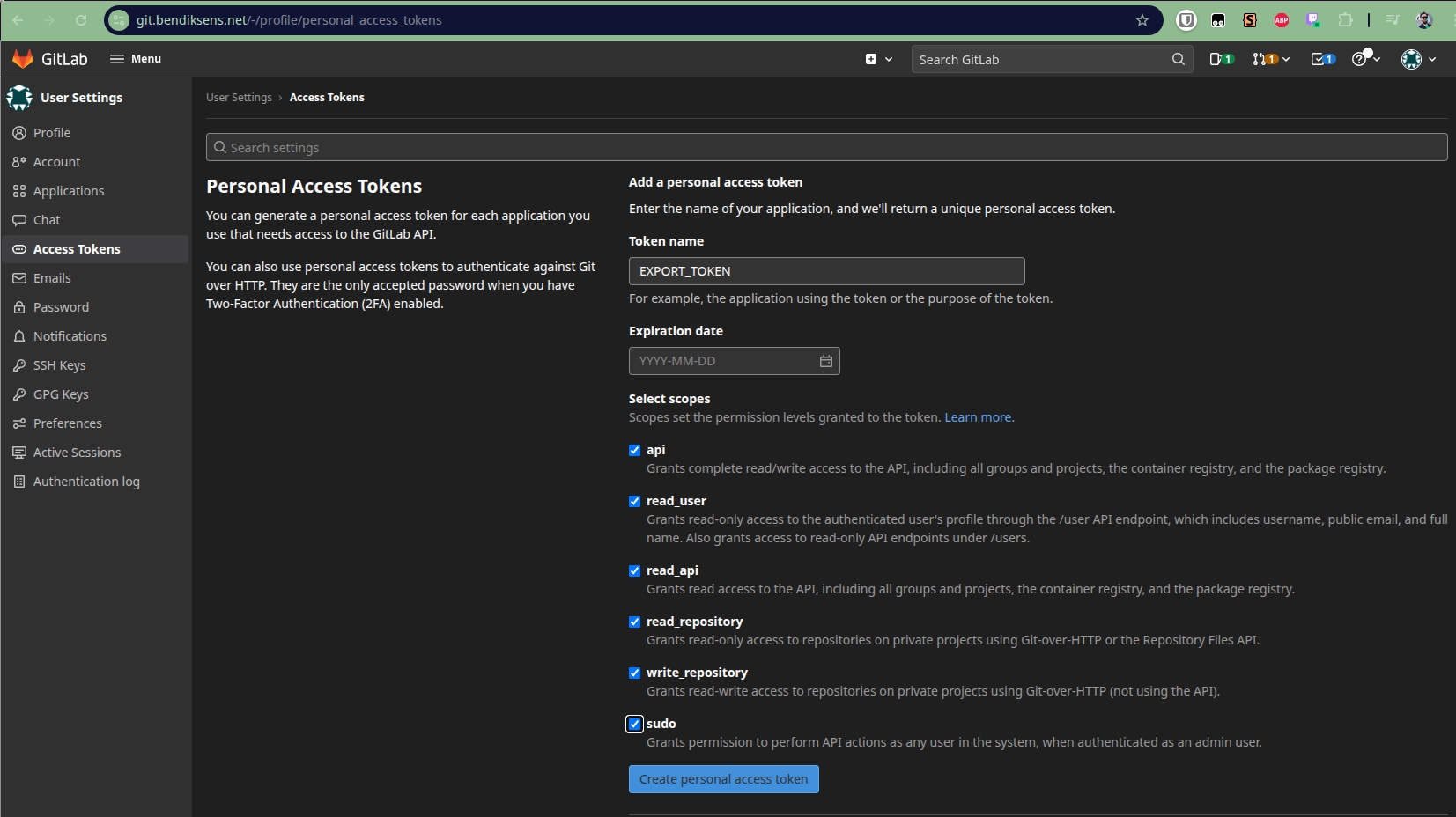
Get token from Gitlab
We also need a token to use with Gitlab.
Same as Gitea, head to Gitlab UI at /-/profile/personal_access_tokens and generate one.
Test run
Test run with only one repo from gitlab
Fetched repo list from https://git.bendiksens.net/api/v4
Cloning into 'ansible-playbooks'...
remote: Enumerating objects: 475, done.
remote: Counting objects: 100% (71/71), done.
remote: Compressing objects: 100% (56/56), done.
remote: Total 475 (delta 30), reused 35 (delta 15), pack-reused 404
Receiving objects: 100% (475/475), 54.60 KiB | 18.20 MiB/s, done.
Resolving deltas: 100% (195/195), done.
Successfully pulled ansible-playbooks.git
Found 1 repositories to migrate

--- Migrating ansible-playbooks ---
Created repository: ansible-playbooks
Enumerating objects: 475, done.
Counting objects: 100% (475/475), done.
Delta compression using up to 32 threads
Compressing objects: 100% (255/255), done.
Writing objects: 100% (475/475), 54.61 KiB | 54.61 MiB/s, done.
Total 475 (delta 195), reused 475 (delta 195), pack-reused 0
remote: Resolving deltas: 100% (195/195), done.
remote: . Processing 1 references
remote: Processed 1 references in total
To 192.168.0.236:duux/ansible-playbooks.git
 * [new branch]      master -> master
Everything up-to-date
Successfully pushed ansible-playbooks

=== Migration Complete ===
Successfully migrated: 1/1 repositories
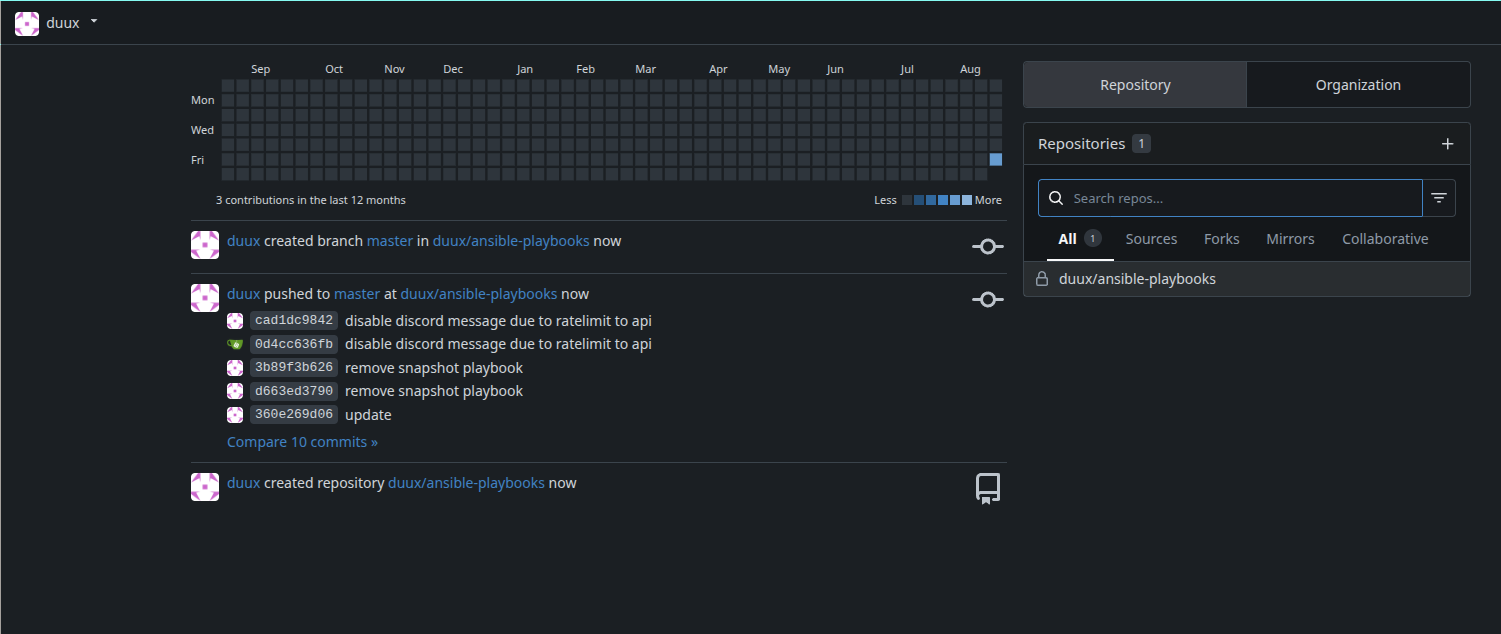
We are in business!
The New Challenge: GitLab Runners in a Gitea World
Ah, the runners. Those beautiful, hardworking little processes that turn your code into deployable artifacts. GitLab runners are like that friend who always shows up to help move, but then you realize they’re attached to the old house. You can’t just pick them up and move them. They need to be reconfigured, re-registered, and sometimes completely rebuilt. This is where things get interesting. GitLab runners are GitLab-specific, which means they won’t work with Gitea. I need to find alternatives for my CI/CD pipelines.
The options are:
- GitHub Actions - Because sometimes you need to embrace the cloud
- Jenkins - The old reliable that’s been around longer than some programming languages
- Drone CI - Lightweight and perfect for Gitea integration
- Buildkite - Because sometimes you want to keep your builds on your own infrastructure
- Gitea Runner - Setting up Gitea Runner on all of the places where old Gitlab Runners are running.
Each has its trade-offs, and I’m still evaluating which one will replace my current GitLab runner setup. The goal is to maintain the same level of automation without the overhead of GitLab’s runner system. Until I figure out that part I have set up the binary and connected it to Gitea and rewrote some of the Action YAMLs for my most important repos.
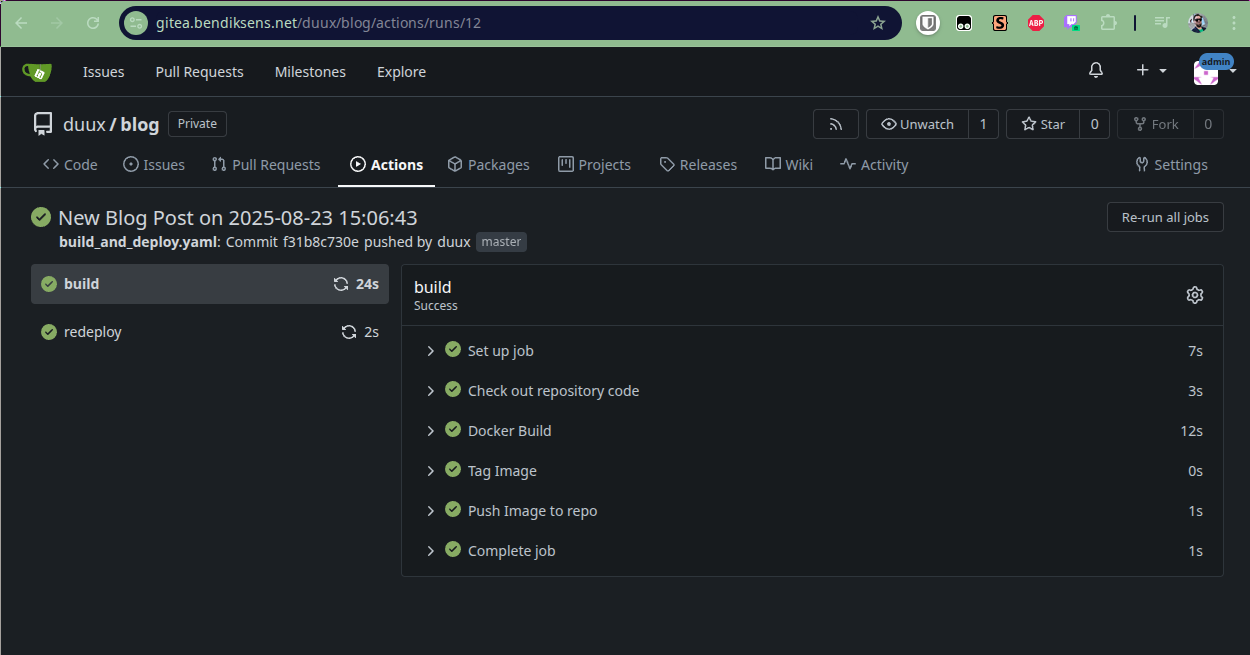
Gitea Actions example
Gitea does not use the same structure as Gitlab CI/CD.
First of the .gitlab-ci.yaml file from the root of the repo are replaced with a yaml located in your repo structure like this .gitea/workflows/ci.yaml name of the file can be what ever you need based on how many or function of the action.
In this example i just called mine build_and_deploy.yaml (was listening to Metallica - Seek and Distroy while writing the file.)
name: Build and deploy blog

on:
  push:
    branches: [ master ]

env:
  CI_REGISTRY: r.bendiksens.net
  CI_REGISTRY_USER: duux
  CI_REGISTRY_IMAGE: blog:latest

jobs:
  build:
    runs-on: ubuntu-latest
    timeout-minutes: 60
    steps:
      - name: Check out repository code
        uses: actions/checkout@v4

      - name: Docker Build
        run: |
          docker build --pull -t ${{ env.CI_REGISTRY_IMAGE }} --no-cache .

      - name: Tag Image
        run: |
          docker image tag ${{ env.CI_REGISTRY_IMAGE }} ${{ env.CI_REGISTRY }}/${{ env.CI_REGISTRY_USER }}/${{ env.CI_REGISTRY_IMAGE }}

      - name: Push Image to repo
        run: |
          docker image push ${{ env.CI_REGISTRY }}/${{ env.CI_REGISTRY_USER }}/${{ env.CI_REGISTRY_IMAGE }}

  redeploy:
    needs: build
    runs-on: shell
    steps:
      - name: Trigger redeploy hook
        run: |
          curl http://192.168.0.221:7050/rc?name=blog
Runner has the following labels:
ubuntu-latest:docker://docker.gitea.com/runner-images:ubuntu-latest- isolated docker container to use with gitea actions)
shell:host- To run command directly on the host running act-runner
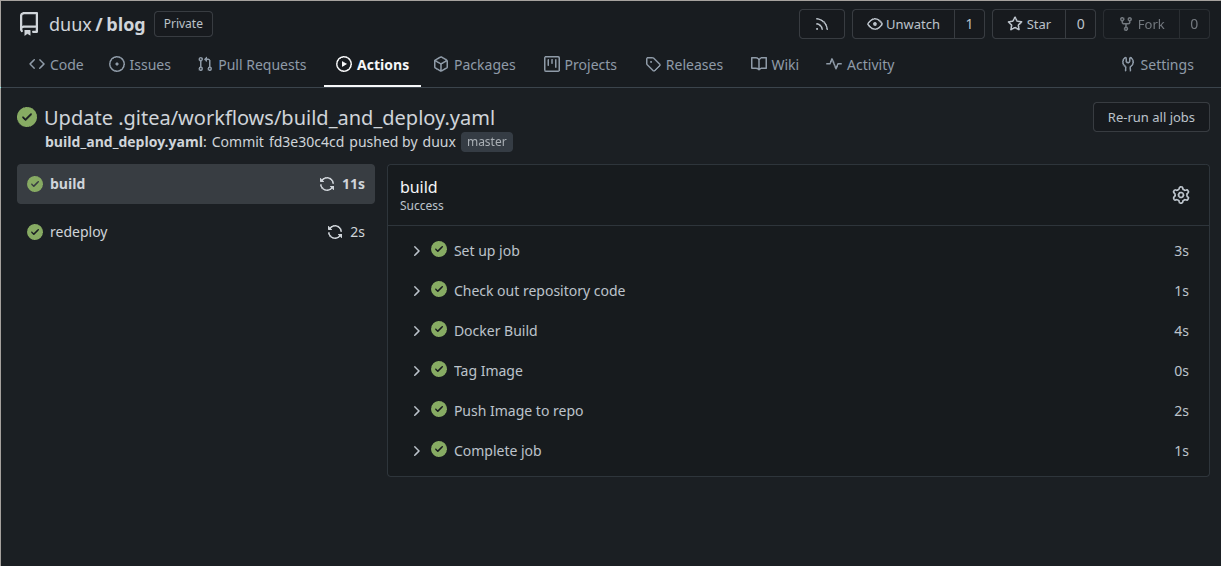
Switching from HTTP to HTTPS
Changing to HTTPS and drop the the :3000 port.
As I have a own Virtual Machine running the Gitea Binary on Ubuntu I can rsync my wildcard certificate that is generated by LetsEncrypt into the server and edit the app.ini for Gitea.
git@gitea:~$ pwd
/home/git

git@gitea:~$ tree -pu
[drwxr-x--- git     ]  .
└── [drwxr-xr-x root    ]  letsencrypt
    └── [drwxr-xr-x root    ]  bendiksens.net
        ├── [-rw-r--r-- git     ]  cert.pem
        ├── [-rw-r--r-- git     ]  chain.pem
        ├── [-rw-r--r-- git     ]  fullchain.pem
        ├── [-rw------- git     ]  privkey.pem
        └── [-rw-r--r-- git     ]  README

3 directories, 5 files
I did the following changes in the app.ini related to TLS:
[server]
SSH_DOMAIN = gitea.bendiksens.net
PROTOCOL=https
DOMAIN = gitea.bendiksens.net
HTTP_PORT = 443
ROOT_URL = https://gitea.bendiksens.net:443/
CERT_FILE = /home/git/letsencrypt/bendiksens.net/fullchain.pem
KEY_FILE = /home/git/letsencrypt/bendiksens.net/privkey.pem
DISABLE_SSH = false
SSH_PORT = 22
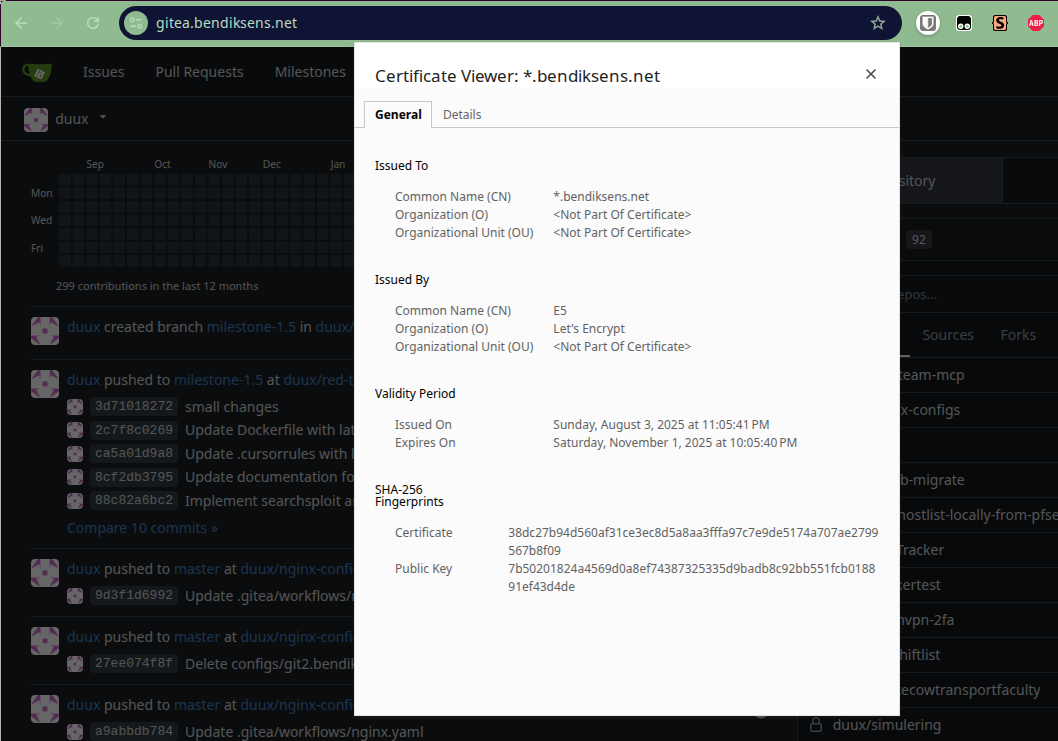
Now I have this nice FQDN I can use for both SSH and HTTPS traffic.
And not all the quirks of having one for the UI and one for SSH that I ended up using for my old server (git.bendiksens.net VS. repo02.bendiksens.net). Hence why I use 2 different addresses in the migration script.
Lessons Learned and Future Plans
The original migration taught me several valuable lessons:
- Always have a rollback plan - Because sometimes the new server is worse than the old one
- Test your migration scripts - On a small subset first, because breaking production is bad for job security
- Document everything - Because three years later, you’ll forget why you made certain decisions, maybe this blog can help?
- Consider the entire ecosystem - It’s not just about the repositories, it’s about the CI/CD, webhooks, and integrations
The Technical Details That Matter
For anyone planning a similar migration, here are the key technical considerations:
Repository Migration:
- Use
git clone --mirrorfor bare repositories - Update remote URLs in
.git/config - Push all branches and tags with
git push --all --tags
CI/CD Migration:
- Export your current pipeline configurations
- Map GitLab CI syntax to your new CI system
- Test thoroughly in a staging environment
Authentication:
- Update SSH keys and deploy keys
- Configure new access tokens
- Update webhook URLs
Conclusion: The Never-Ending Migration Cycle
In the world of self-hosted services, migration is not a one-time event. it’s a lifestyle. Whether you’re moving from one GitLab server to another, or from GitLab to Gitea, the principles remain the same: plan carefully, test thoroughly, and always have a backup plan.
The Python script that made my original migration possible is a testament to the power of automation. It’s not just about saving time. It’s about reducing human error and ensuring consistency across dozens of repositories.
I’m reminded that the best tools are the ones that work for you, not the ones that work for everyone else. Sometimes that means moving from a feature-rich platform to a simpler, faster alternative.
And if there’s one thing I’ve learned from many years of running GitLab, it’s that sometimes the best solution is the one that gets out of your way and lets you focus on what really matters: writing code, not managing infrastructure.
Now, if you’ll excuse me, I have some CI/CD pipelines to migrate and some new servers to configure. Because in the world of DevOps, there’s always another migration waiting around the corner.
BTW, this blog post was pushed over Gitea and the actions that was put in place.